IaaS, PaaS, and SaaS Explained Simply
Published on October 9, 2026
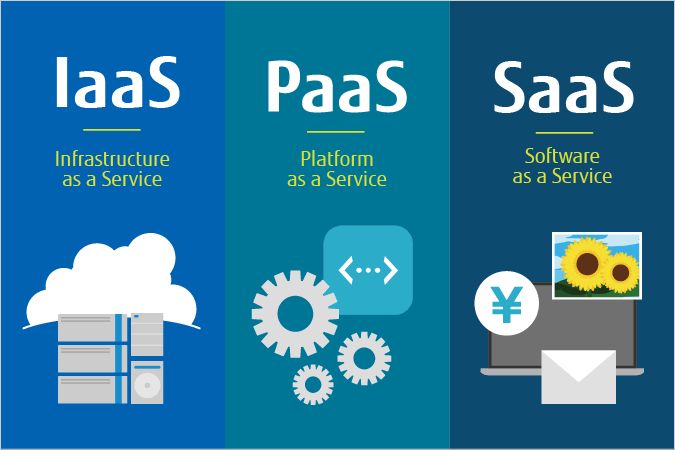
IaaS, PaaS, and SaaS Explained Simply
Among the very first concepts covered on the AZ-900 exam, the distinction between IaaS, PaaS, and SaaS is fundamental. These three acronyms describe the main cloud service models, and understanding what sets them apart makes it much easier to make sense of the full range of services Azure offers.
The shared principle behind all three: as you move from IaaS toward SaaS, the cloud provider (Microsoft, in Azure's case) takes on more responsibility, and the customer has less to manage themselves.
What is IaaS (Infrastructure as a Service)?
IaaS provides core computing infrastructure: virtual servers, storage, and networking. The customer remains responsible for managing the operating system, updates, applications, and data.
It's the model that offers the most control — and also the most responsibility.
Azure example: Azure Virtual Machines
What is PaaS (Platform as a Service)?
PaaS goes a step further than IaaS: the provider also manages the operating system, the runtime, and platform updates. The customer focuses purely on developing and deploying their application.
It's a good balance between control and simplicity, especially well suited to developers.
Azure example: Azure App Service, Azure SQL Database
What is SaaS (Software as a Service)?
SaaS is the model where the provider manages everything: infrastructure, platform, and application. The customer simply uses the software, without worrying about what happens behind the scenes.
It's the easiest model to use, but also the one that offers the least customization.
Azure example: Microsoft 365, Microsoft Teams
Who manages what? The shared responsibility model
A good way to remember the difference is to visualize which layers are managed by the customer versus the provider:
| Layer | IaaS | PaaS | SaaS |
|---|---|---|---|
| Data and access | Customer | Customer | Customer |
| Applications | Customer | Customer | Provider |
| Runtime | Customer | Provider | Provider |
| Operating system | Customer | Provider | Provider |
| Virtualization | Provider | Provider | Provider |
| Servers and storage | Provider | Provider | Provider |
| Physical network | Provider | Provider | Provider |
The further down the table you go, the more responsibility shifts from the customer to the provider as you move from IaaS toward SaaS.
A simple analogy: getting around town
An easy way to remember the difference is to compare these three models to three ways of traveling:
- IaaS = renting a car. You drive it yourself and handle fuel and routine upkeep, but you don't own the vehicle.
- PaaS = taking a taxi. A driver takes care of driving; you just tell them where to go.
- SaaS = taking the bus. Everything is already set up — the route, the schedule, the vehicle. You just get on board.
In all three cases, you get where you're going — but the level of control and responsibility is very different.
A concrete example
A company wants to host a web application with a database, and also uses a collaboration tool for messaging.
- It deploys its application on virtual machines it configures itself → IaaS.
- It hosts its database on Azure SQL Database, without having to manage a server → PaaS.
- Its employees use Microsoft Teams to communicate → SaaS.
A single organization typically uses several models in parallel, depending on each project's needs.
Where does on-premises fit in?
To fully understand the progression, it helps to remember the starting point: on-premises infrastructure, where a company owns and manages absolutely everything itself — from physical hardware all the way up to applications.
IaaS, PaaS, and SaaS each represent a step where an increasing share of that responsibility shifts to the cloud provider.
Common exam pitfalls
Confusing IaaS and PaaS
The key distinction: with IaaS, the customer manages the operating system. With PaaS, the provider handles it.
Assuming SaaS removes all customer responsibility
Even with SaaS, the customer is always responsible for their data and access management (who is allowed to log in, and with what permissions).
Forgetting that a single model rarely covers a whole architecture
Most organizations combine IaaS, PaaS, and SaaS as needed, rather than picking one model for everything.
Key takeaways
- IaaS: infrastructure only, maximum control, maximum customer responsibility.
- PaaS: a ready-to-use platform for development; the customer focuses on their application.
- SaaS: ready-to-use software, no technical management required from the customer.
- The customer is always responsible for their data and access, regardless of the model.
Conclusion
IaaS, PaaS, and SaaS aren't competing concepts — they're different points on the same scale of shared responsibility between the customer and the cloud provider. Being able to quickly identify which model a given Azure service belongs to is an essential skill for passing the AZ-900 exam, and for choosing the right solution on a real project.
To go further with these fundamental cloud computing concepts, check out our AZ-900 exam prep.